
 To the App
Search for Articles
How to delete an account?
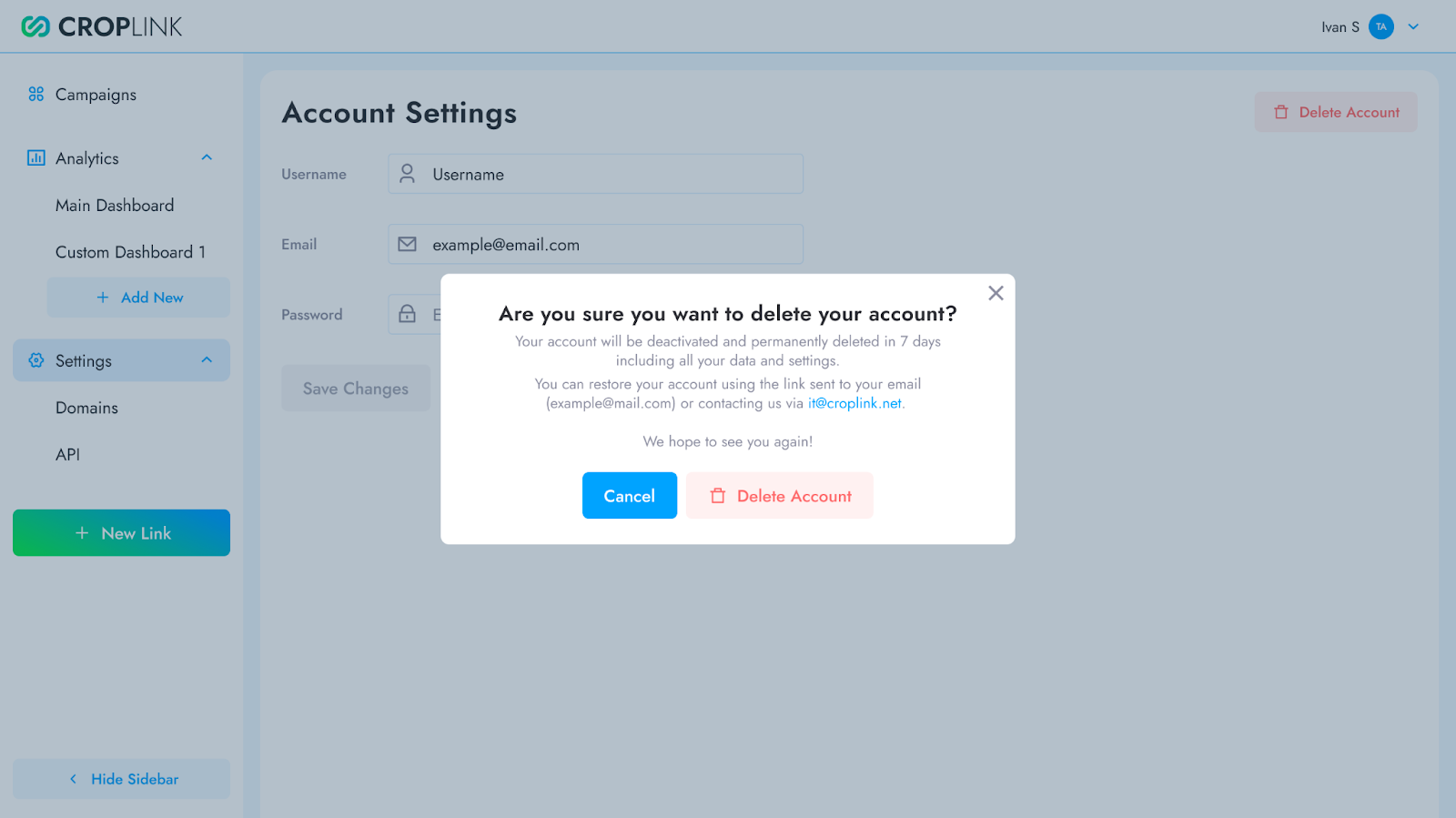
You can permanently delete your account at any time. Please note that account deletion is reversible within 7 days — after that period, your data will be permanently removed from our system.
Account Deletion
- Go to your Account Settings.
- Click the “Delete Account” button.
- Confirm deletion.
- Check your email for a confirmation message.
What Happens Next?
✔️ You immediately lose access to your account
✔️ All your data will be scheduled for deletion
✔️ You will receive an email with a restore link
Account Restoring
Within 7 days of deletion:
- Find the account deletion confirmation email.
- Click the “Restore Account” link.
- Log in with your original credentials.
- Your account will be fully restored with all the data and settings.
Important: After 7 days, account restoration becomes impossible and all data is permanently deleted. Before you delete, export any important data first, cancel any active subscriptions and remove connected payment methods.
Learn more about our data retention in Privacy policy.
Have another question?
Contact us